PDF take-off and measurement, straight in your browser.
Calibrate any PDF drawing, measure lengths and areas with snap-to-geometry precision, and export a structured schedule of marked-up quantities ready to price. Built for quantity surveyors and estimators — free to use today, no card required.
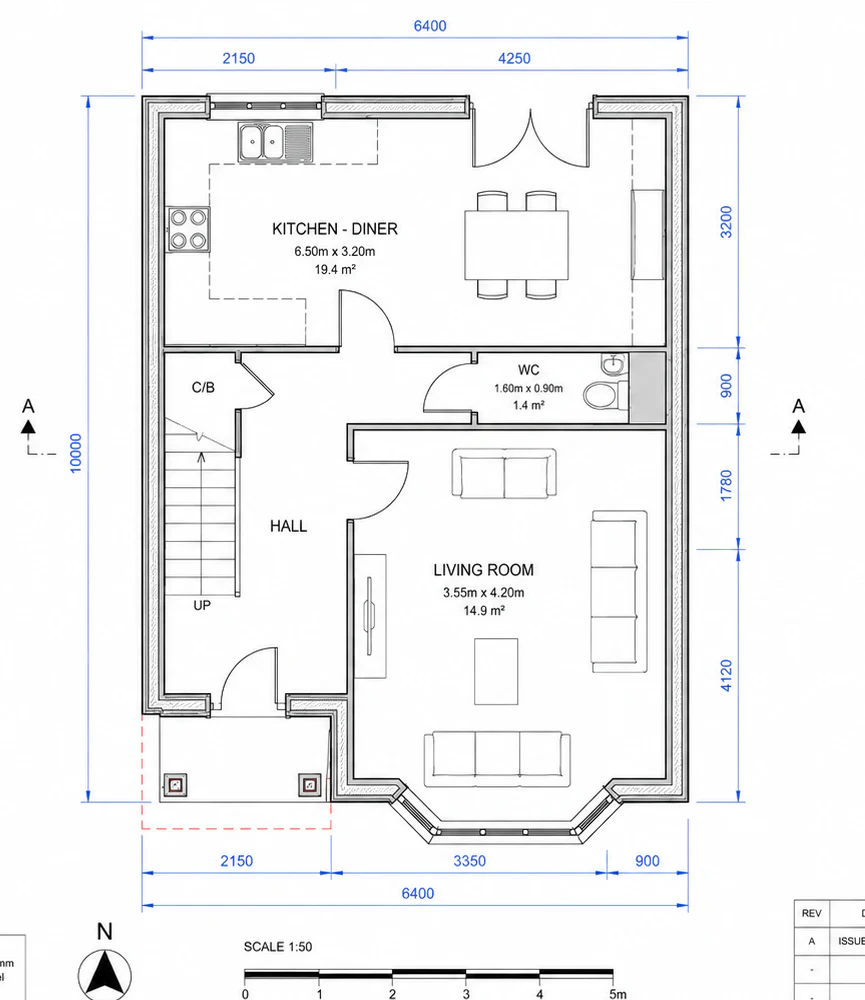
Everything a take-off should be.
Calibrate, measure, tag, total, export - free and in the browser.
Calibrated measurement
Two calibration methods - click a known dimension or specify a 1:n drawing scale. Per-page, so multi-sheet projects work cleanly.
Snap to drawing geometry
The cursor locks onto wall corners, wall ends and openings as you draw - like a CAD snap - so measurements follow the drawing rather than your aim.
Six measurement tools
Length, perimeter, area, rectangle, count and calibrate. Live readouts while drawing. Enter to finish, Backspace to undo a vertex.
Per-tool unit defaults
Length tool defaults to mm, Area to m², Perimeter to m - and each markup can be switched independently in the properties panel.
Structured markups list
Every measurement carries subject, trade, location and custom columns. Filter, sort, total by unit - your take-off becomes a schedule.
CSV export
Download the full markups list, including custom columns, for pricing in Excel. The data structure is yours; the tool just shapes the take-off.
Cloud projects
Save take-offs to your account and pick them up on any device. The PDF itself stays local; only the markups and calibration are stored.
Local-first processing
PDFs never leave your browser. Rendering and measurement happen right on your machine - cloud storage holds only your markup data. AI detection is still in development and may be switched on or off during the beta; when it is available, it's the one feature that sends anything, and only after you confirm.
No install, no learning curve
Open the page, sign in, drop a PDF. Familiar interface inspired by tools QSs already use - the workflow is the same, the price isn't.
Now edit your drawings - not just measure them.
Meet GO_CAD: open the line work in your PDF as real, editable CAD. Redraw a detail, add dimensions and notes, lay it out on a titled sheet, and export a DXF or a print-ready PDF - in the browser, no CAD licence.
From drawing to schedule in four steps.
Open a PDF
Drag a layout drawing onto the app or browse for it. Multi-page PDFs are supported.
Calibrate the page
Click the two ends of a known dimension (or set a 1:50 / 1:100 scale). Per-page calibration handles multi-scale jobs.
Measure and tag
Pick a tool, set a subject and trade, then click. Snap-to-geometry locks to wall corners and openings.
Export to Excel
Filter the markups list, total by unit, then export to CSV with all your custom columns intact.
See it in use.
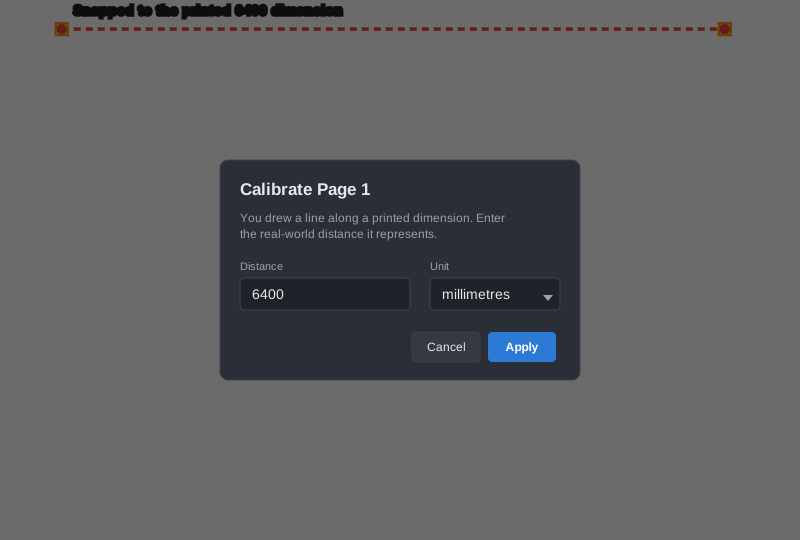
Calibrate against any printed dimension.
The two-click calibration tool turns any printed dimension into a real-world reference. Snap-to-geometry locks onto the dimension witness lines so you get corner-to-corner accuracy without zooming to pixel level.
- Per-page calibration - multi-scale sheets handled cleanly
- Or specify a 1:n ratio when no printed dimension is available
- Calibration unit decoupled from display unit (calibrate in mm, display in m)
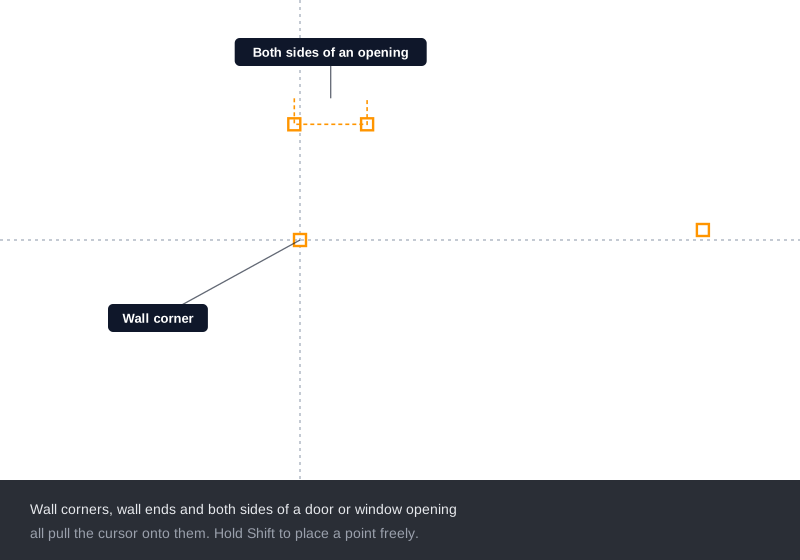
Snap to wall corners and openings.
Every corner, wall end and edge on a vector drawing becomes a snap target, so your clicks land on the line work instead of near it. Hold Shift to place a point freely.
- Wall corners and wall ends - including junctions where walls meet
- Both sides of a door or window opening - so openings measure cleanly
- Works on any vector drawing - no set-up, on by default
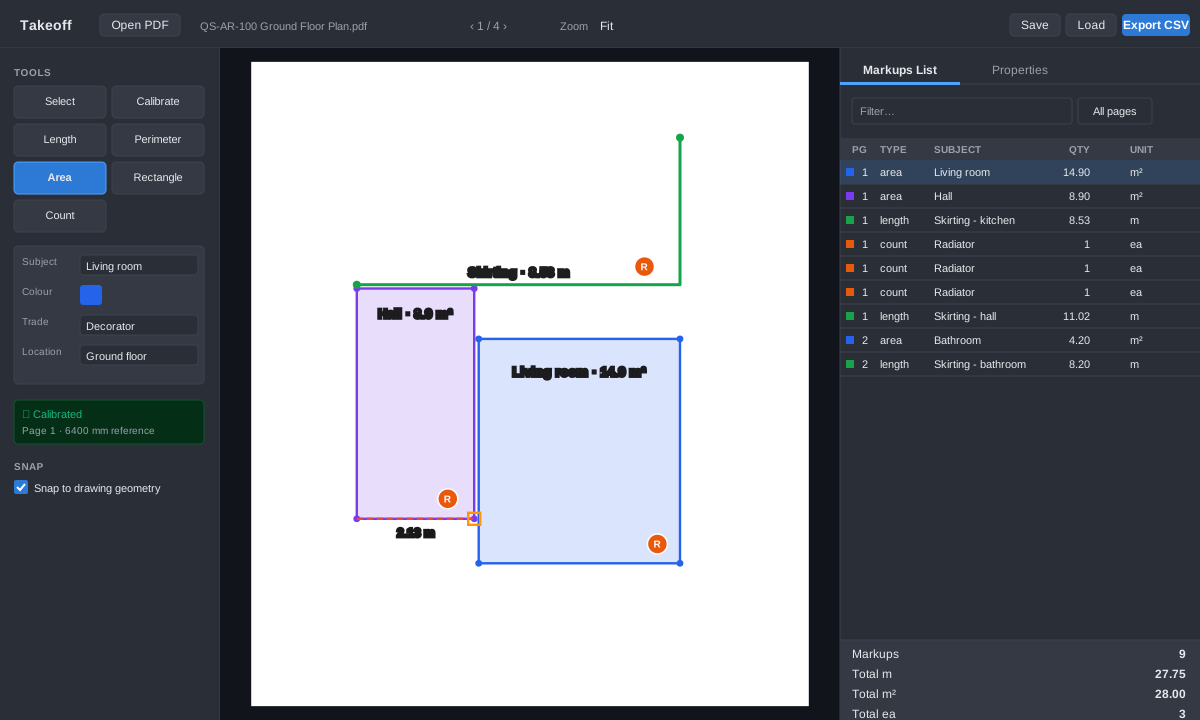
Filter, total, export.
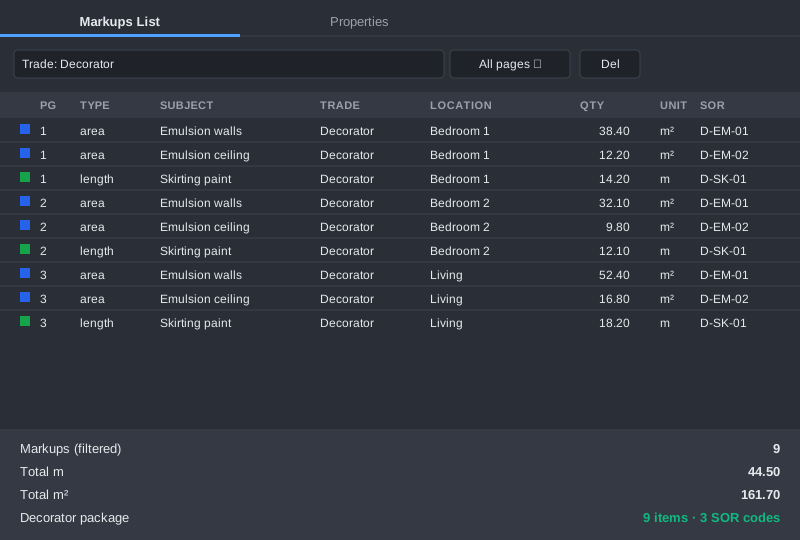
Tag every markup with subject, trade, location and any custom column you need (SOR codes, rates, status). Filter the list by trade or location, see live totals per unit, then export the whole table to CSV.
- Filter by free text, trade, location or page
- Per-unit totals - areas in m², lengths in m, counts in ea
- Custom columns persist across CSV exports and saved projects
Common questions.
Is it free?
It's free while we're in beta - every measurement tool, calibration, export and cloud projects (200 projects, 5 MB each), no card required. It won't be free forever: when it leaves beta we expect to charge no more than £10 a month, which is well under half the cheapest comparable licence. Existing users will get clear notice well before anything changes. See how that compares.
Where are my drawings stored?
Drawings are not uploaded. The PDF is opened and rendered locally in your browser. Only the take-off data - calibration, markups, custom column values - is stored on the server, attached to your account. To resume a project on another device, you re-open the same PDF locally and load the saved markup data on top. The one exception is AI detection, which is still in development and may be switched on or off during the beta: when it is available and you choose to run it, an image of the specific area you run it on is sent to our AI provider - only after you confirm, never otherwise.
How accurate is the take-off?
As accurate as your calibration. Snap-to-geometry locks your clicks onto the drawing's actual line work, so corner-to-corner accuracy is preserved when the PDF was published from CAD. Image-only / scanned PDFs have no line work to snap to and rely on free pointing. How we approach measurement accuracy sets out the safeguards, the known limitations, and a check you can run on your own drawing.
Can I use it on confidential drawings?
Yes - the drawings never leave your browser. Everything is served from our own domain with no third-party CDNs, and rendering and measurement happen locally on your machine. The one exception is AI detection, which is in development and may be switched on or off during the beta: when it is available and you explicitly run it, an image of the selected area is sent to our AI provider for analysis - it always asks first, per session.
Does it work on a tablet?
Best on a laptop / desktop today - the precision tools assume a mouse or trackpad. A tablet-optimised layout is on the roadmap.
What happens to my data if I delete my account?
Account deletion removes all your saved projects from the database. There are no backups retained beyond standard host snapshots. We don't sell or share any user data.
Can I export to anything other than CSV?
CSV is the format today, which Excel and Google Sheets both open directly. JSON export of the full project (for re-import) is available too. If your estimating system has a structured input format, get in touch.
Ready to take off?
Sign up free, drop in a PDF, calibrate, and start measuring. No card, no install, no commitments.